
My Best Colors
colorwise.meBeauty
4.191.00 Reviews
- Version
- 10.8.1
- Installs
- 1.00M
- Age Rating
- Everyone
Screenshots
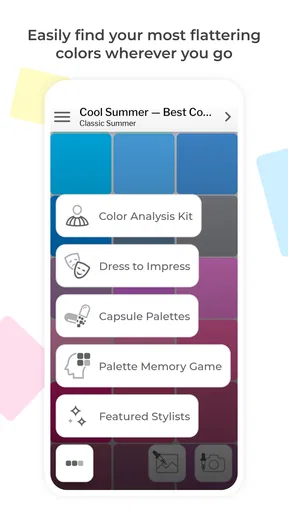
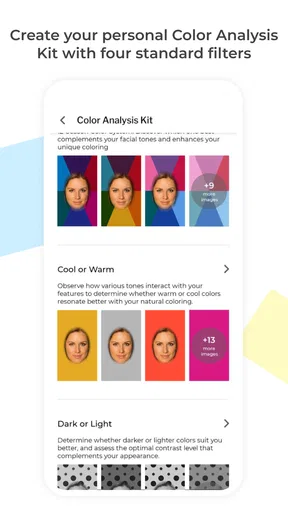
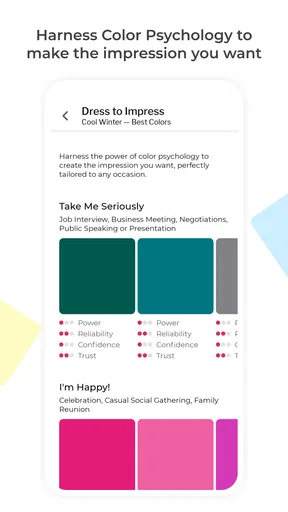
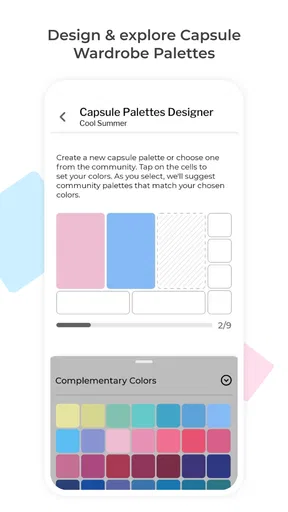
Our Review of My Best Colors
 Analysis by Appyee
Choosing colors can be surprisingly hard: a shade that looks appealing on a hanger may feel wrong once I wear it, while a color I rarely consider can bring an outfit together. That is the practical problem My Best Colors is meant to help with. It is a free beauty app from colorwise.me that focuses on personal color choices for clothing, makeup, and other everyday decisions. I find the idea most useful as a guide for narrowing options, not as a rulebook that decides what anyone is allowed to wear.
Where the app fits into a color-conscious routine
The appeal is straightforward: rather than relying only on a passing trend or a general “what’s in” list, I can use a personal color profile as a starting point. That makes the app relevant before shopping, while sorting through a closet, or when I want to experiment with makeup without buying several products first. Its store summary points toward smarter shopping and dressing, but the more lasting value is the chance to notice which colors I tend to reach for and why.
The app has been available since September 21, 2017, and its current version is 10.8.0. Those facts show that it is an established product with an ongoing version history, though they do not tell me exactly how each screen or feature has changed over time. For existing users, the sensible approach is to treat the profile and palette as practical references, then check the current app experience for any changes that affect their own routine. I would not assume that a version number alone means a particular feature has been added or improved.
What a personal palette can—and cannot—settle
A color recommendation is only as useful as the conditions behind it. Lighting, camera settings, makeup, hair color, and even the way a garment reflects light can shift how a shade appears in a photo. If a result feels surprising, I would retake a photo in natural, even light and compare it with a manual assessment rather than immediately treating the first reading as definitive. This simple check is especially worthwhile before using the app to make a costly wardrobe decision.
There is also a difference between a color that harmonizes with someone’s coloring and a color they enjoy wearing. I would use the palette to discover possibilities—not to throw away a favorite jacket because it falls outside a suggested range. One useful experiment is to test a recommended shade near the face, then try the same color farther away, such as in a bag or shoes. That helps separate the effect of a color on the face from the appeal of the color itself.
For shopping, I would save the app for comparisons between real options rather than opening it for every item in a store. A quick check can help when two similar tops are available in different shades, but a phone image is not a perfect substitute for seeing fabric in person. Store lighting can distort color, and the exact shade on a screen may not match the garment. I would use the result to guide a shortlist, then check the item near a window or in daylight before deciding.
Getting Started with My Best Colors
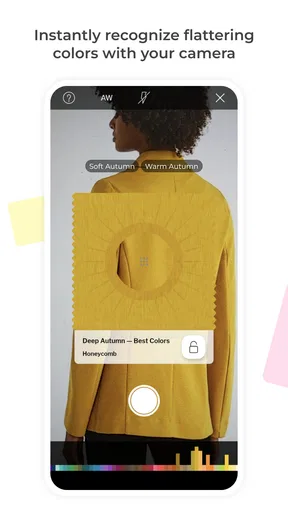
The first thing you’ll notice when you open My Best Colors is the slick, user-friendly interface. It’s like they knew we didn’t want to fumble through a complicated setup. You start by uploading a selfie or selecting your features manually. The app analyzes your skin tone, eye color, and hair color to determine your color season. Pretty neat, right?
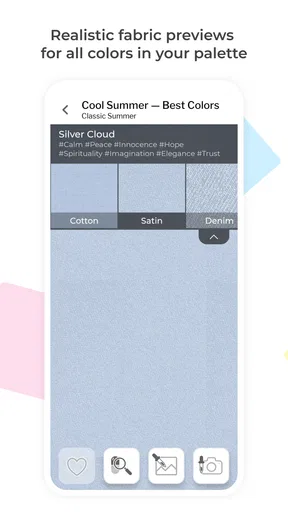
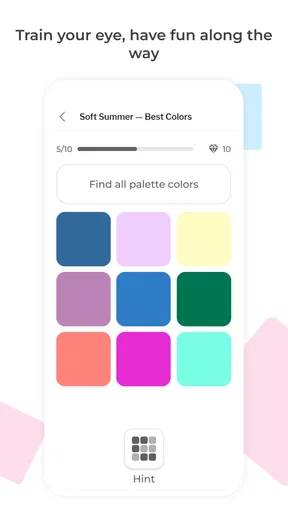
Once you have your profile set up, the app gives you a personalized color palette. This is where the magic happens. You’ll see a range of colors that are supposed to complement your natural tones. Think of it as your personal cheat sheet to looking fabulous.
Exploring the Features
Now, the app isn’t just about telling you which colors work best for you. It’s packed with features that make it a must-have. Let’s break down a few:
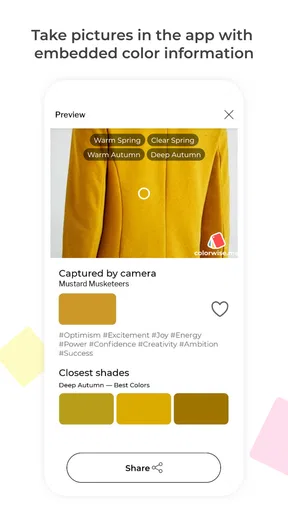
- Color Matching: You can use the color matching tool to see how your favorite clothes or makeup stack up. Just snap a picture and let the app do its thing. It’ll tell you if that lipstick actually works for you or if you should maybe reconsider.
- Seasonal Updates: The app goes beyond just your basic color palette. It updates with seasonal trends, offering suggestions on how to incorporate these colors into your wardrobe without losing your personal touch.
- Shopping Assistance: If you’re out shopping and unsure about a color, whip out the app. It’ll help you decide if that new dress is going to be a hit or miss based on your profile.
Making the results useful in everyday life
A realistic use is getting dressed for work when there is little time to rethink an outfit. I would choose a familiar base, such as trousers I already wear often, and use the palette to pick a shirt or accessory in a color I usually overlook. That is a lower-risk test than replacing a whole wardrobe, and it gives me a clearer sense of whether the recommendations feel helpful in real life. If the color looks good in the mirror but does not feel like me, I can keep it as an occasional option rather than forcing a new style.
The same approach works for makeup: compare one product at a time, ideally in consistent light, instead of changing several parts of a look together. If I try a new lipstick and a new top at once, it is difficult to tell what made the overall effect feel better or worse. Testing one choice at a time makes the app’s guidance easier to interpret and helps avoid buying products based on a single quick impression.
For someone who shops online, the palette can help filter out colors that are unlikely to be useful, but it cannot resolve uncertainty about a product’s actual shade or quality. I would compare the displayed color with other photos, read the item details, and avoid relying on a small screen image as a promise of a precise match. The app is most helpful as a personal reference alongside ordinary shopping judgement, not as a replacement for it.
Real-Life Application
Okay, I’ll admit it—I was a bit skeptical at first. But after using My Best Colors for a few weeks, I’ve noticed a real difference. My friends have started asking if I got a new stylist! It’s fun seeing how tiny adjustments in color can make such a big impact.
For instance, I’ve always gravitated towards black and white, but the app suggested some deep greens and rich reds that I’d never considered. To my surprise, these colors made my eyes pop and my skin look more vibrant. It’s like having a mini-makeover without spending a dime.
How it compares with other ways to choose colors
Without an app, I might rely on instinct, advice from friends, or general fashion articles. Those can be useful, but they may not give me a consistent personal reference when I am comparing several shades. A professional color consultation can offer a more hands-on experience, while trying items on in person lets me judge fabric, fit, and color together. My Best Colors sits between those approaches: it offers a convenient starting point on a phone, but it cannot reproduce the nuance of seeing clothes on my own body under varied lighting.
That trade-off makes the app a better fit for curious experimenters than for someone seeking a final, expert verdict. I would also skip it if I already know I prefer choosing colors entirely by mood, or if a seasonal palette would make getting dressed feel restrictive. The strongest use is for people who want ideas and a little structure, especially when their closet has become repetitive or shopping decisions often end in uncertainty.
Is It Worth It?
In the world of apps, there are plenty of gimmicks. But My Best Colors feels like a genuine game-changer, especially if you’re someone who struggles with color coordination. It’s not just for the fashion-forward; it’s for anyone who wants to put their best foot forward without the hassle of trial and error.
The app doesn’t just tell you what to wear; it helps you understand why certain colors work for you. It’s educational, practical, and just plain fun to use. Plus, with the added shopping features and trend updates, it feels like a complete package.
There are a few practical considerations before relying on it heavily. A profile is a guide, and a photograph-based assessment can be affected by the conditions of the photo. Some people may prefer the control of selecting features manually, while others may find a selfie quicker. Either way, I would revisit the result if my hair color changes substantially or if the original photo was taken in unusual lighting, rather than assuming an old assessment must always fit.
The app is free to download, rated for Everyone, and has an average rating of 4.1 from around 3,100 ratings, with more than a million installs. Optional in-app purchases range from $9.99 to $14.99 per item, so I would explore the free experience first and decide whether any paid option offers something I personally need before spending. The current version is 10.8.0, and the app supports Android 6.0 and later. These details make it accessible to a broad range of Android users, while the rating and install count offer context rather than a guarantee that its color advice will suit every person.
For an existing user, what is worth watching is whether future changes make the profile easier to apply to real choices, not simply whether the version number rises. I would look for clear, practical improvements to using a palette in everyday shopping and dressing, while continuing to judge recommendations against my own mirror and preferences. A color tool earns its place when it helps me make decisions with more confidence, not when it turns personal style into a pass-or-fail test.
So, if you’re ready to step up your style game without hiring a personal stylist, give My Best Colors a try. Who knows? You might just discover a whole new side of your wardrobe you never knew existed.
Verdict
Strengths of My Best Colors
- Intuitive interface for easy navigation.
- Wide range of color palettes available.
- Customizable color schemes for projects.
- Offline access to saved palettes.
- Includes color blindness simulation.
Limitations of My Best Colors
- Limited free features available.
- No direct export to design tools.
- Occasional in-app ads.
- Requires account for cloud sync.
- Color accuracy varies on different screens.
Similar Picks in This Category
View All
Beauty Makeup Editor & Camera
Photo & Video Editors - Instant Solution4.7

Perfect365: Face Makeup Editor
Perfect365, Inc.3.5

Mirror Plus - HD Mirror app
Digitalchemy, LLC4.8

Cute Lock Screen & Wallpapers
Prometheus Interactive LLC4.6

HD Camera for Android
One Music Player4.5

Phone Mirror app - True Mirror
Cards4.6
Frequently Asked Questions
What features does the My Best Colors app offer?
My Best Colors provides users with a personalized color palette based on their skin tone, eye color, and hair color. The app includes features like color matching, wardrobe suggestions, and seasonal color trends. Additionally, it offers style advice and integrates with social media for sharing your favorite looks.
Is My Best Colors user-friendly for beginners?
Yes, My Best Colors is designed with a user-friendly interface suitable for beginners. The app guides users through the process of identifying their color profile with easy-to-follow steps and intuitive navigation. Its tutorial section helps new users get the most out of the app's features quickly.
Does My Best Colors require an internet connection?
While an internet connection is necessary for downloading the app and accessing some features like social sharing and updates, most functionality is available offline. Users can access their saved color palettes and styling advice without needing to be connected to Wi-Fi or mobile data.
Are there any in-app purchases in My Best Colors?
My Best Colors offers a basic version for free, but it includes in-app purchases for additional features. Users can upgrade to a premium version to unlock advanced tools, ad-free experience, and exclusive seasonal color updates, enhancing their overall fashion and styling experience.
Is My Best Colors available on both Android and iOS?
Yes, My Best Colors is available for download on both Android and iOS platforms. Users can find it on the Google Play Store and the Apple App Store, ensuring compatibility with a wide range of smartphones and tablets for accessibility.
